

The
Properties: Classes are used to style Textarea elements depending on the state they hold. The ng-model attribute is used to make reference to text-directive. Listed below are the commonly used classes:
- ng-touched: It signifies class applied on the touched field.
- ng-untouched: It signifies class applied on the untouched field.
- ng-valid: It signifies class applied on valid field content.
- ng-invalid: It signifies class used for invalid field content.
- ng-pristine: It signifies class used for the state having a modification in the field.
- ng-dirty: It signifies class used with unmodified field content.
Return Value: It returns the text, the user has entered in the text field.
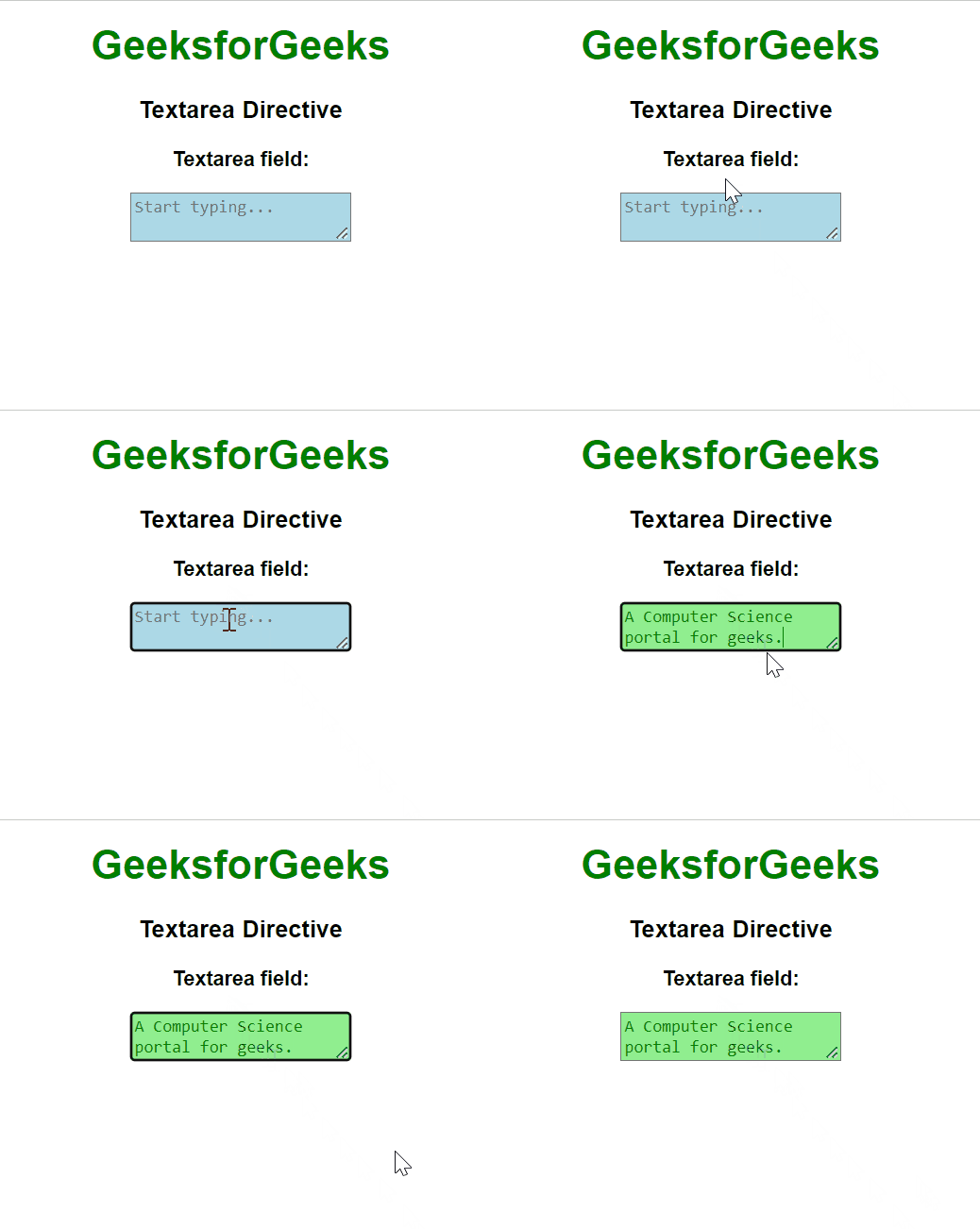
Example 1: This example describes the basic usage of the textarea Directive in AngularJS.
<html>

<head>
    <script src=
"https://ajax.googleapis.com/ajax/libs/angularjs/1.6.9/angular.min.js">
    script>
    <style>
        body {
            text-align: center;
            font-family: Arial, Helvetica, sans-serif;
        }

        h1 {
            color: green;
        }

        textarea.ng-valid {
            color: green;
            background-color: lightgreen;
        }

        textarea.ng-invalid {
            background-color: lightblue;
        }
    style>
head>

<body ng-app="">
    <h1>GeeksforGeeksh1>
    <h3>Textarea Directiveh3>
    <p><b>Textarea field:b>p>
    <textarea placeholder="Start typing..."
              ng-model="gfg" required>
    textarea>
body>
html>
Output:
Example 2: In this example, we have used the .ng-pristine class, which specifies the form has not been modified by the user, & .ng-dirty class, which specifies the form has been made dirty (modified ) by the user, is utilized with the textarea element in AngularJS.
<html>

<head>
    <script src=
"https://ajax.googleapis.com/ajax/libs/angularjs/1.6.9/angular.min.js">
    script>
    <style>
        body {
            text-align: center;
            font-family: Arial, Helvetica, sans-serif;
        }

        h1 {
            color: green;
        }

        textarea.ng-dirty {
            color: green;
            background-color: lightgreen;
        }

        textarea.ng-pristine {
            background-color: green;
        }
    style>
head>

<body ng-app="">
    <h1>GeeksforGeeksh1>
    <h3>Textarea Directiveh3>
    <p><b>Textarea field:b>p>
    <textarea placeholder="Start typing..."
              ng-model="gfg" required>
    textarea>
body>
html>
Output:

Reference: https://docs.angularjs.org/api/ng/directive/textarea