The ng-mouseup Directive in AngularJS is used to apply custom behavior when a mouseup event occurs on a specific HTML element. It can be used to show a popup alert when the mouse button is pressed. The order of a mouse click is Mousedown, Mouseup, Click. It is supported by all HTML elements.
Syntax:
Contents...
Parameter value:
- expression: When the mouse click is completed then the expression will be executed.
Example 1: This example uses the ng-mouseup Directive to change the text effect.
<html>

<head>
    <script src=
"https://ajax.googleapis.com/ajax/libs/angularjs/1.6.9/angular.min.js">
    script>
    <title>ng-mouseup Directivetitle>
head>

<body ng-app style="text-align:center">
    <h1 style="color:green">GeeksforGeeksh1>
    <h2>ng-mouseup Directiveh2>
    <div>
        <p ng-mouseup="geek={'color':'green',
            'font-size':'larger'}"
           ng-mousedown="geek={'font-size':''}"
           ng-style="geek"
           ng-class="'button'">
            Hold mouse click to see effect.
        p>

    div>
body>
html>
Output:

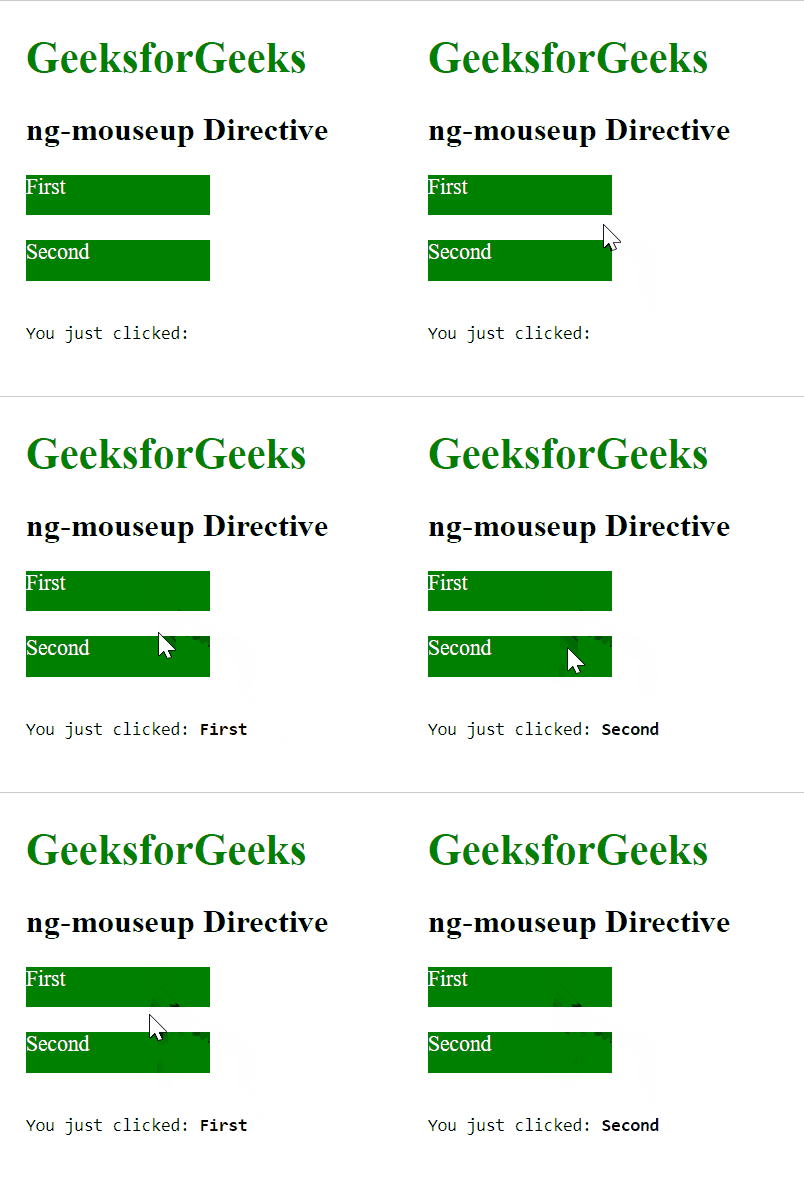
Example 2: This example uses the ng-mouseup Directive to display the array element.
<html>

<head>
    <script src=
"https://ajax.googleapis.com/ajax/libs/angularjs/1.6.9/angular.min.js">
    script>
    <title>ng-mouseup Directivetitle>
head>

<body ng-app="app" style="padding:20px">
    <h1 style="color:green">GeeksforGeeksh1>
    <h2>ng-mouseup Directiveh2>

    <div ng-controller="app">
        <div ng-repeat="p in array">
            <div style="background-color:green;
                        color:white;
                        height:30px;
                        width:10%"
                 ng-mouseup="mouseOver(p)">{{p}}
            div><br>
        div>
        <pre>You just clicked: <b>{{input}}b>pre>
    div>

    <script>
        var app = angular.module("app", []);
        app.controller('app', ['$scope', function ($scope) {
            $scope.mouseOver = function (data) {
                $scope.input = data;
            };
        $scope.array = ["First", "Second"]
        }]);
    script>
body>
html>
Output: