

The ng-if Directive in AngularJS is used to remove or recreate a portion of the HTML element based on an expression. The ng-if is different from the ng-hide directive because it completely removes the element in the DOM rather than just hiding the display of the element. If the expression inside it is false then the element is removed and if it is true then the element is added to the DOM.
Syntax:
Contents...
Parameter Value:
- expression: It will return false if an expression completely removes the element, & returns true if a copy of the element will be inserted instead, or the element will be created.
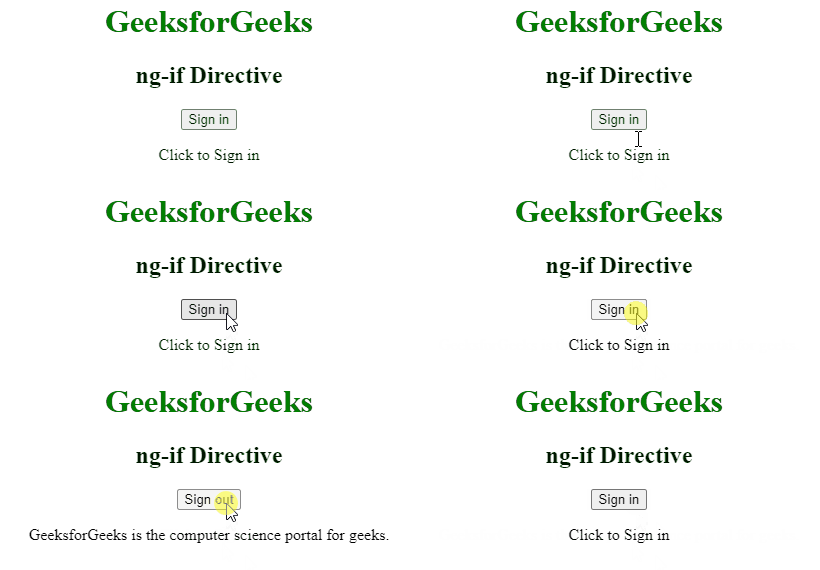
Example 1: This example changes the content after clicking the button.
<html>

<head>
    <title>ng-if Directivetitle>
    <script src=
"https://ajax.googleapis.com/ajax/libs/angularjs/1.6.9/angular.min.js">
    script>
head>

<body ng-app="geek" style="text-align:center">
    <h1 style="color:green">
        GeeksforGeeks
    h1>
    <h2>ng-if Directiveh2>

    <div ng-controller="app as vm">
        <div ng-if="!vm.IsShow">
            <input type="button"
                   class="btn btn-primary"
                   ng-click="vm.IsShow=!vm.IsShow"
                   value="Sign in">
            <p>Click to Sign inp>
        div>

        <div ng-if="vm.IsShow">
            <button class="btn btn-primary"
                    ng-click="vm.IsShow=!vm.IsShow">
                Sign out
            button>
            <p>
                GeeksforGeeks is the computer
                science portal for geeks.
            p>
        div>
    div>

    <script>
        var app = angular.module("geek", []);
        app.controller('app', ['$scope', function ($scope) {
            var vm = this;
        }]);
    script>
body>
html>
Output:
Example 2: This example added some content that will render the content when checking the checkbox.
<html>

<head>
    <title>ng-if Directivetitle>
    <script src=
"https://ajax.googleapis.com/ajax/libs/angularjs/1.6.9/angular.min.js">
    script>

    <style>
        .geek {
            border: 1px solid black;
            padding: 10px;
            font-size: 15px;
            color: white;
            width: 50%;
            background: green;
        }
    style>
head>

<body ng-app style="padding:30px">
    <h1 style="color:green">
        GeeksforGeeks
    h1>
    <h3>ng-if Directiveh3>

    <div>
        <input type="checkbox"
               ng-model="showDiv" />
        <label for="showDiv">
            Check it
        label>
        <br><br>
        <div class="geek" ng-if="showDiv">
            GeeksforGeeks is the computer science
            portal for geeks.
        div>
    div>
body>
html>
Output:
