
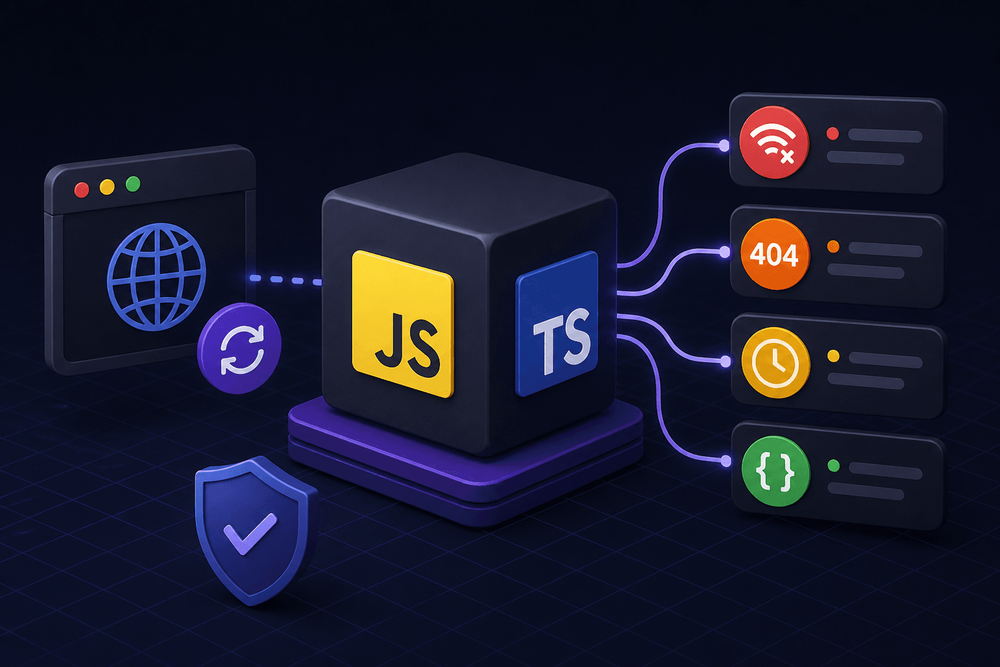
A service goes down and starts returning 500 responses. The frontend team expects their try/catch blocks to handle it. They don't. This article builds a reusable TypeScript wrapper that normalizes every failure mode into predictable, typed exceptions.
Table of Contents
- Why
fetch()Lies to You About Errors - How Fetch Error Handling Actually Works
- Designing the Error Class Hierarchy
- Building the TypeScript Fetch Wrapper
- JavaScript Fetch Error Handling Example: Vanilla JS
- Using the Wrapper in React
- Fetch API Error Handling Best Practices
- Quick-Reference Error Matrix
- Where to Go From Here
Why fetch() Lies to You About Errors
A service goes down and starts returning 500 responses. The frontend team expects their try/catch blocks to handle it. They don't. The catch block never fires. Users see a blank screen, and the error logging pipeline stays silent. This is a common source of production bugs in modern JavaScript, and it stems from a fundamental misunderstanding of how javascript fetch error handling actually works.
The core problem: fetch() only rejects its promise on network-level failures. As MDN states, "A fetch() promise only rejects when the request fails, for example, because of a badly-formed request URL or a network error." HTTP 4xx and 5xx responses resolve normally. The promise fulfills. The catch block never executes.
fetch()only rejects its promise on network-level failures. HTTP 4xx and 5xx responses resolve normally. The promise fulfills. Thecatchblock never executes.
This article builds a reusable TypeScript wrapper that normalizes every failure mode into predictable, typed exceptions. By the end, you'll have a four-class error hierarchy (NetworkError, HttpError, TimeoutError, ParseError), AbortController-based timeout support, and copy-pasteable usage examples in both vanilla JS and React.
Prerequisites: This article targets browser environments. Server-side fetch (Node.js 18+) does not enforce CORS and has different AbortSignal support timelines. To compile and run the code below, you need:
- TypeScript 4.6 or later (required for the
ErrorOptionstype) tsconfig.jsonwith at minimum"lib": ["ES2022", "DOM"]and"strict": true- React 16.8+ if using the
useFetchhook - No additional npm packages are required for the core wrapper
How Fetch Error Handling Actually Works
When fetch() Rejects vs. Resolves
The fetch() API rejects its promise exclusively on network-level failures: DNS resolution errors, the device being offline, CORS violations that prevent the request from completing, or a malformed request URL. These are situations where no HTTP response exists at all. fetch() throws a TypeError into the rejection handler.
Note: CORS errors only apply in browser contexts. Server-side fetch (Node.js 18+) does not enforce CORS, so the same request that rejects with a TypeError in a browser will succeed from a server.
Every other outcome, including HTTP 404, 429, 500, and any other non-2xx status code, results in a resolved promise. The response object arrives intact. Its .ok property is false, and its .status property carries the numeric code. But because the promise resolved, a standard try/catch or .catch() handler sees nothing wrong. This is the root cause of how to solve failed to fetch error confusion: developers conflate "HTTP error" with "promise rejection," and fetch() deliberately separates the two.
The response.ok Gap
When code skips the response.ok check, it proceeds to parse the response body as though the request succeeded. In many cases, a 404 or 500 response carries an HTML error page or a JSON error payload that silently replaces the expected data structure.
// BROKEN: This catch block will never fire on a 404 or 500
async function getUser(id: string) {
  try {
    const response = await fetch(`/api/users/${id}`);
    // No response.ok check — a 404 flows right through
    const data = await response.json();
    return data; // Could be an error page, not a user object
  } catch (error) {
    // Only fires on network failure, never on HTTP errors
    console.error('Request failed:', error);
  }
}
response.ok returns true when response.status falls in the 200 to 299 range, inclusive. Without checking it, js fetch error handling is incomplete by design.
Designing the Error Class Hierarchy
Why Custom Error Classes?
Inspecting error.message strings to distinguish failure modes is fragile and breaks across locales, browser versions, and API changes. The instanceof operator provides a reliable, refactor-safe mechanism for branching error-handling logic. A typed hierarchy also enables targeted alerting: structured log pipelines can key off error.name to route HttpError instances to PagerDuty while sending NetworkError instances to an infrastructure dashboard. TypeScript's type narrowing then guarantees that properties like status are only accessed on the correct error type.
The Four Error Types
The wrapper distinguishes four failure categories:
NetworkErrorcovers connection failures, DNS resolution errors, offline scenarios, and CORS blocks (browser only). No response was received, so onlymessageis available.- A non-2xx response produces an
HttpError. It carriesstatus,statusText, and the parsed response body, giving consumers the status code, any validation messages the API returned, and enough context for retry decisions. - When a request exceeds a configured deadline, the wrapper throws a
TimeoutErrorwith thetimeoutduration attached for diagnostics. ParseErrorhandles the case where a 2xx response arrived but the body was not valid JSON. APIs behind reverse proxies like Nginx or Cloudflare return HTML error pages more than you'd expect, and this catch prevents silent data corruption.
Class Hierarchy
All four classes extend a shared FetchError base class, which itself extends the native Error. This means any catch block can check instanceof FetchError to catch all wrapper errors, or narrow to a specific subclass for granular handling.
Error
 └── FetchError
      ├── NetworkError
      ├── HttpError
      ├── TimeoutError
      └── ParseError
// Requires TypeScript 4.6+ for ErrorOptions and "lib": ["ES2022", "DOM"]
export class FetchError extends Error {
constructor(message: string, options?: ErrorOptions) {
super(message, options);
this.name = new.target.name;
Object.setPrototypeOf(this, new.target.prototype);
}
}
export class NetworkError extends FetchError {
constructor(message: string, options?: ErrorOptions) {
super(message, options);
Object.setPrototypeOf(this, new.target.prototype);
}
}
export class HttpError extends FetchError {
public status: number;
public statusText: string;
public body: unknown;
constructor(status: number, statusText: string, body: unknown) {
super(`HTTP ${status}: ${statusText}`);
this.status = status;
this.statusText = statusText;
this.body = body;
Object.setPrototypeOf(this, new.target.prototype);
}
}
export class TimeoutError extends FetchError {
public timeout: number;
constructor(timeout: number) {
super(`Request timed out after ${timeout}ms`);
this.timeout = timeout;
Object.setPrototypeOf(this, new.target.prototype);
}
}
export class ParseError extends FetchError {
constructor(message: string, originalError: unknown) {
super(message, { cause: originalError });
Object.setPrototypeOf(this, new.target.prototype);
}
// Access the original parse error via the standard error.cause property
}The Object.setPrototypeOf call is necessary in each subclass constructor because TypeScript's compilation target can break instanceof checks when extending built-in classes like Error. Without it in each subclass constructor, instanceof NetworkError, instanceof HttpError, and other subclass checks may return false when compiled to ES5. The base FetchError class uses new.target.name to automatically set the name property to match each subclass, so subclasses do not need to set this.name manually.
Building the TypeScript Fetch Wrapper
Wrapper Function Signature and Options Interface
The wrapper extends the native RequestInit type with two additional properties: an optional timeout in milliseconds and a parseJson flag that defaults to true.
export interface FetchWrapperOptions extends RequestInit {
  timeout?: number;
  parseJson?: boolean;
}

export async function fetchWrapper<T>(
  url: string,
  options: FetchWrapperOptions = {}
): Promise<T> {
  // Implementation follows
}
The generic
Composing AbortController for Timeouts
The AbortController API provides a mechanism to cancel in-flight fetch requests. The wrapper creates an internal controller for timeout enforcement and needs to merge its signal with any user-supplied signal (for example, one tied to a React component's unmount lifecycle).
AbortSignal.any() is the modern approach to combining multiple signals. It accepts an array of AbortSignal instances and returns a new signal that aborts when any input signal fires. For environments that do not support AbortSignal.any() (notably Node.js before 20.3.0, Safari before 17.4 (March 2024), and Firefox before 124), a fallback using manual event listeners on each signal is necessary, though production code targeting modern browsers can rely on it directly.
const { timeout, parseJson = true, signal: userSignal, ...fetchOptions } = options;

const controller = new AbortController();
let timeoutId: ReturnType<typeof setTimeout> | undefined;

if (timeout != null && timeout > 0 && isFinite(timeout)) {
  timeoutId = setTimeout(() => controller.abort(), timeout);
}

const signals: AbortSignal[] = [controller.signal];
if (userSignal) signals.push(userSignal);

let combinedSignal: AbortSignal;
if (typeof AbortSignal.any === 'function') {
  combinedSignal = AbortSignal.any(signals);
} else {
  // Manually propagate userSignal to internal controller
  if (userSignal) {
    userSignal.addEventListener('abort', () => controller.abort(userSignal.reason), { once: true });
  }
  combinedSignal = controller.signal;
}
The wrapper must clear the timeout after each request completes. Without cleanup, the setTimeout callback retains a reference to the controller and the closure. In an SPA making hundreds of requests per session, leaked timers accumulate and prevent garbage collection of closed-over controller references.
Checking response.ok and Throwing HttpError
After the fetch() call resolves, the wrapper inspects response.ok. If the response falls outside the 2xx range, it attempts to parse the error body as JSON first, falling back to plain text. The wrapper attaches the parsed body to the HttpError instance so that consumers have access to API-specific error details like validation messages or error codes.
const response = await fetch(url, {
  ...fetchOptions,
  signal: combinedSignal,
});

if (!response.ok) {
  let errorBody: unknown;
  const cloned = response.clone();
  try {
    errorBody = await response.json();
  } catch {
    // Primary error is the non-2xx HTTP response; read clone for text fallback
    errorBody = await cloned.text().catch(() => null);
  }
  throw new HttpError(response.status, response.statusText, errorBody);
}
Note the use of response.clone() before attempting json(). Body streams can only be consumed once; if json() partially reads the stream before throwing a SyntaxError, a subsequent text() call on the same response would return an empty string or throw. Cloning the response first guarantees the text fallback always has access to the complete body.
Safe JSON Parsing and ParseError
When parseJson is true, the wrapper wraps response.json() in its own try/catch. A SyntaxError from invalid JSON gets caught and re-thrown as a ParseError, preserving the original error for debugging via the standard cause chain. When parseJson is false, the wrapper returns the raw Response object, cast to T. See the complete implementation below for the inline code.
Catching and Re-mapping Native Errors
The outer catch block handles three categories of native errors. An AbortError could originate from either the timeout controller or a user-initiated abort; the wrapper checks whether the timeout fired to distinguish the two. A TypeError indicates a network failure. Anything else gets wrapped in a generic FetchError.
export async function fetchWrapper<T>(
  url: string,
  options: FetchWrapperOptions = {}
): Promise<T> {
  const { timeout, parseJson = true, signal: userSignal, ...fetchOptions } = options;

  const controller = new AbortController();
  let timeoutId: ReturnType<typeof setTimeout> | undefined;
  let didTimeout = false;

  if (timeout != null && timeout > 0 && isFinite(timeout)) {
    timeoutId = setTimeout(() => {
      didTimeout = true;
      controller.abort();
    }, timeout);
  }

  const signals: AbortSignal[] = [controller.signal];
  if (userSignal) signals.push(userSignal);

  let combinedSignal: AbortSignal;
  if (typeof AbortSignal.any === 'function') {
    combinedSignal = AbortSignal.any(signals);
  } else {
    if (userSignal) {
      userSignal.addEventListener('abort', () => controller.abort(userSignal.reason), { once: true });
    }
    combinedSignal = controller.signal;
  }

  try {
    const response = await fetch(url, {
      ...fetchOptions,
      signal: combinedSignal,
    });

    if (!response.ok) {
      let errorBody: unknown;
      const cloned = response.clone();
      try {
        errorBody = await response.json();
      } catch {
        errorBody = await cloned.text().catch(() => null);
      }
      throw new HttpError(response.status, response.statusText, errorBody);
    }

    if (!parseJson) {
      return response as unknown as T;
    }

    try {
      const data: T = await response.json();
      return data;
    } catch (parseErr) {
      throw new ParseError('Failed to parse response as JSON', parseErr);
    }
  } catch (error) {
    // Re-throw our own custom errors as-is
    if (error instanceof FetchError) throw error;

    // Map native AbortError to TimeoutError or re-throw
    if ((error as Error).name === 'AbortError') {
      if (didTimeout && timeout != null) {
        throw new TimeoutError(timeout);
      }
      // User-initiated abort — re-throw as-is
      throw error;
    }

    // Network failures surface as TypeError
    if (error instanceof TypeError) {
      throw new NetworkError(error.message, { cause: error });
    }

    throw new FetchError(
      error instanceof Error ? error.message : 'Unknown fetch error',
      { cause: error }
    );
  } finally {
    if (timeoutId) clearTimeout(timeoutId);
  }
}
The finally block clears the timeout regardless of whether the request succeeded, failed, or threw during parsing. The wrapper checks (error as Error).name === 'AbortError' rather than error instanceof DOMException because Firefox and some non-browser runtimes throw plain Error objects with name === 'AbortError' instead of DOMException instances.
JavaScript Fetch Error Handling Example: Vanilla JS
Basic GET Request with Granular Error Handling
With the wrapper in place, consumers can write instanceof-based branching that handles every failure mode explicitly. Each branch has access to typed properties specific to that error class, and TypeScript narrows the type automatically.
interface User {
  id: string;
  name: string;
  email: string;
}

async function loadUser(id: string): Promise<User | null> {
  try {
    return await fetchWrapper<User>(`/api/users/${id}`, { timeout: 5000 });
  } catch (error) {
    // User-initiated abort (e.g., component unmount) — do not treat as a result
    if ((error as Error).name === 'AbortError') {
      throw error;
    }

    if (error instanceof HttpError) {
      if (error.status === 429) {
        // Rate limited — retry with backoff
        console.warn('Rate limited, retry after backoff');
      } else if (error.status === 404) {
        console.warn('User not found');
      } else {
        console.error(`Server error ${error.status}:`, error.body);
      }
    } else if (error instanceof NetworkError) {
      // Show offline banner
      console.error('Network unavailable:', error.message);
    } else if (error instanceof TimeoutError) {
      console.error(`Timed out after ${error.timeout}ms`);
    } else if (error instanceof ParseError) {
      console.error('Unexpected response format:', error.cause);
    }
    return null;
  }
}
Each branch carries enough context to drive distinct UI and operational responses, from retry logic on 429 to offline banners on NetworkError. Note that AbortError from user-initiated cancellation is re-thrown rather than silently returning null, which would be indistinguishable from a "not found" result. The ParseError branch accesses the original parse error via the standard error.cause property.
Inspecting
error.messagestrings to distinguish failure modes is fragile and breaks across locales, browser versions, and API changes. Theinstanceofoperator provides a reliable, refactor-safe mechanism for branching error-handling logic.
Using the Wrapper in React
Custom useFetch Hook
A minimal useFetch hook wraps fetchWrapper in useEffect, managing data, error, and loading state. The hook creates its own AbortController and passes the signal through to the wrapper, so component unmount cancels any in-flight request cleanly. A mounted flag guards all state updates to prevent React warnings about setting state on unmounted components.
import { useState, useEffect } from 'react';
import { fetchWrapper, FetchError, FetchWrapperOptions } from './fetchWrapper';

function useFetch<T>(url: string, options?: FetchWrapperOptions) {
  const [data, setData] = useState<T | null>(null);
  const [error, setError] = useState<FetchError | null>(null);
  const [loading, setLoading] = useState(true);

  useEffect(() => {
    const controller = new AbortController();
    let mounted = true;

    setLoading(true);
    setData(null);
    setError(null);

    fetchWrapper<T>(url, { ...options, signal: controller.signal })
      .then((result) => {
        if (!mounted) return;
        setData(result);
        setError(null);
      })
      .catch((err) => {
        if (!mounted) return;
        if ((err as Error).name === 'AbortError') return;
        setError(
          err instanceof FetchError
            ? err
            : new FetchError(err instanceof Error ? err.message : 'Unknown error', { cause: err })
        );
      })
      .finally(() => {
        if (mounted) setLoading(false);
      });

    return () => {
      mounted = false;
      controller.abort();
    };
  }, [url, options]); // options must be memoized with useMemo at the call site to prevent infinite re-renders

  return { data, error, loading };
}
Important: Because options is in the dependency array, passing an inline object literal (e.g., useFetch('/api/user', { timeout: 5000 })) will cause an infinite re-render loop — the object reference changes every render, triggering the effect repeatedly. Callers must stabilize options with useMemo:
const options = useMemo(() => ({ timeout: 5000 }), []);
const { data } = useFetch<User>('/api/user', options);
Rendering Error States by Type
A component consuming useFetch can render distinct UI for each error type. A NetworkError shows a connectivity prompt; a 404 HttpError shows a "not found" message; a TimeoutError suggests retrying. Without these branches, every failure collapses into a single generic message that gives the user nothing to act on.
import { useMemo } from 'react';
import { NetworkError, HttpError, TimeoutError, ParseError, FetchWrapperOptions } from './fetchWrapper';

function UserProfile({ userId }: { userId: string }) {
  const options = useMemo<FetchWrapperOptions>(() => ({ timeout: 5000 }), []);
  const { data, error, loading } = useFetch<User>(`/api/users/${userId}`, options);

  if (loading) return <div>Loading...</div>;

  if (error) {
    if (error instanceof NetworkError)
      return <div>You appear to be offline. Check your connection.</div>;
    if (error instanceof HttpError && error.status === 404)
      return <div>User not found.</div>;
    if (error instanceof TimeoutError)
      return <div>The server took too long. Try again.</div>;
    if (error instanceof ParseError)
      return <div>Received an unexpected response from the server.</div>;
    return <div>An unexpected error occurred.</div>;
  }

  if (!data) return null;
  return <div><h1>{data.name}</h1><p>{data.email}</p></div>;
}
Fetch API Error Handling Best Practices
Retry Strategy for Transient Failures
Not all errors warrant a retry. HttpError with status 429 (Too Many Requests) or 503 (Service Unavailable) are transient and candidates for exponential backoff. Check the Retry-After response header first; use its value as the minimum delay. If absent, apply exponential backoff (e.g., 1s, 2s, 4s) capped at 3 retries, or configure a higher cap if your use case tolerates longer recovery windows. Responses with status 401 or 403 indicate authentication or authorization failures that will not resolve by retrying; route these to login flows or permission error screens instead.
Logging and Observability
How do you actually connect a frontend error to a backend trace? Structured logging benefits directly from the error class hierarchy. Log entries should include error.name, numeric status for HttpError, and the request URL. Extract correlation IDs from response headers (e.g., response.headers.get('X-Request-Id')) before throwing, then attach them to the HttpError or log entry. This lets you trace a single user-facing failure from the browser console through your backend's request logs without grepping timestamps.
Avoiding Common Pitfalls
Failing to clear AbortController timers leaks memory in single-page applications where components mount and unmount frequently. The wrapper's finally block addresses this, but custom implementations miss it constantly. When APIs sit behind reverse proxies like Nginx or Cloudflare, error responses arrive as HTML pages rather than JSON. Without ParseError handling, these silently corrupt application state. For deterministic testing of fetch failure modes, Mock Service Worker (msw) intercepts requests at the network level and can simulate specific HTTP statuses, network failures, and delayed responses without modifying application code.
When APIs sit behind reverse proxies like Nginx or Cloudflare, error responses arrive as HTML pages rather than JSON. Without
ParseErrorhandling, these silently corrupt application state.
Quick-Reference Error Matrix
| Failure Scenario | Native fetch Behavior |
Wrapper Throws | Key Properties |
|---|---|---|---|
| DNS / offline | Rejects (TypeError) |
NetworkError |
message |
| HTTP 404, 429, 500 | Resolves (response.ok = false) |
HttpError |
status, statusText, body |
| Timeout exceeded | Rejects (AbortError) |
TimeoutError |
message, timeout |
| Invalid JSON body | Resolves (Response); response.json() throws SyntaxError |
ParseError |
message, cause |
Where to Go From Here
The wrapper normalizes every fetch() failure mode into a single, predictable type hierarchy. From here, pick the extension that matches your next problem: request/response interceptors if you need to inject auth tokens or transform responses before they reach consumers; React error boundaries if you want crash isolation so one failed panel doesn't blank the whole page; or OpenTelemetry integration if you need distributed traces that connect browser-side errors to backend spans. The MDN Fetch API documentation and web.dev's networking error handling guides provide additional depth on the underlying platform behavior.