

In React, forms are used to take input from users, like text, numbers, or selections. They work just like HTML forms but are often controlled by React state, so you can easily track and update the input values. Forms in React can be easily added and used as a simple react element.
- Inputs in React can be either controlled or uncontrolled, with controlled being the more common approach.
- Form submission is handled using an
onSubmitevent handler, whereevent.preventDefault()is called to stop the browser from reloading the page.
Example: This example displays the text input value on the console window when the React onChange event triggers.
import React from "react";
import ReactDOM from "react-dom";

function App() {

    function onInputChange(event) {
        console.log(event.target.value);
    }

    return (
        <div>
            <form>
                <label>Enter text</label>
                <input
                    type="text"
                    onChange={onInputChange}
                />
            </form>
        </div>
    );
}

ReactDOM.render(<App />, document.querySelector("#root"));
Output:

Handling React Forms
In HTML the HTML DOM handles the input data but in react the values are stored in state variable and form data is handled by the components.
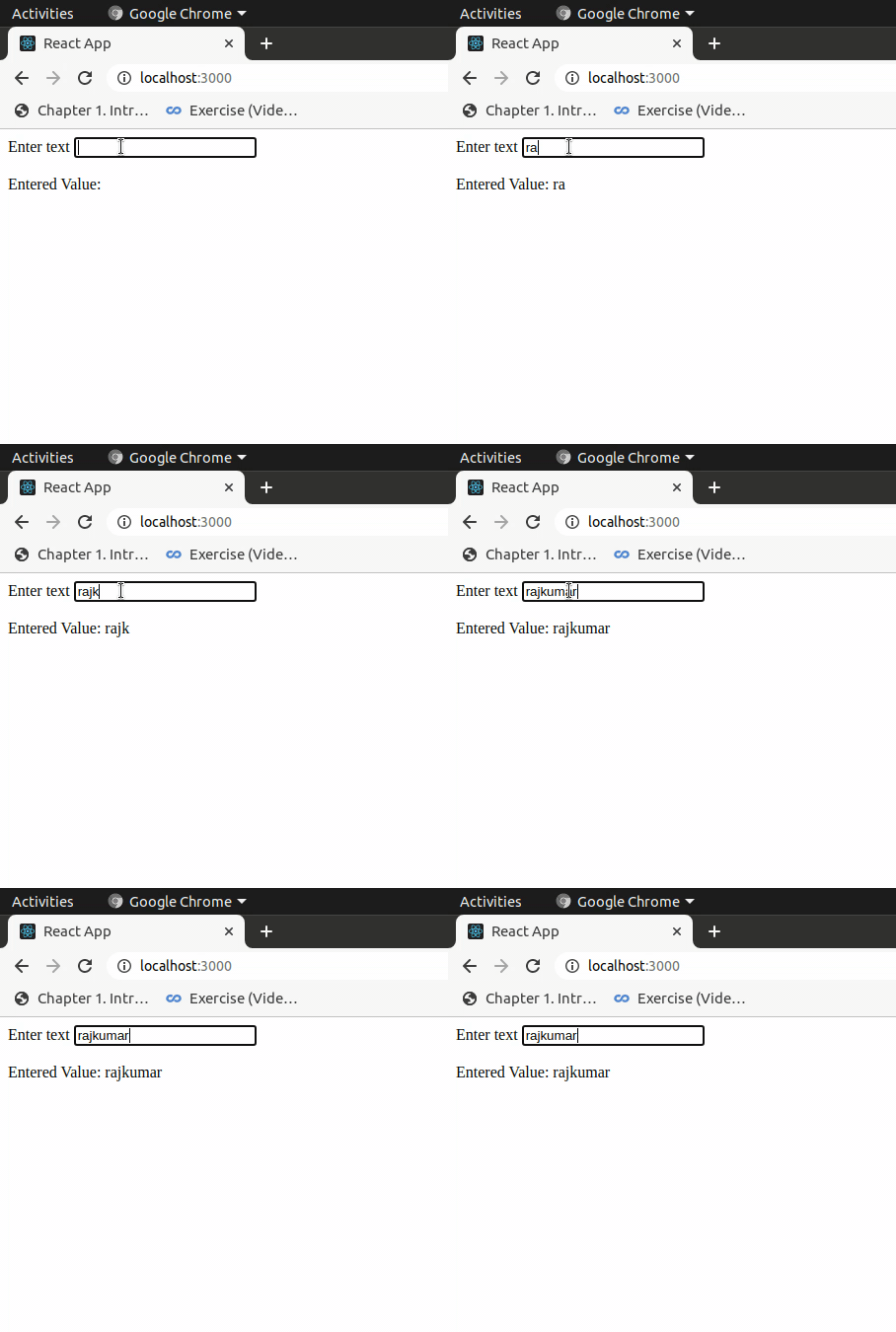
Example: This example shows updating the value of inputValue each time user changes the value in the input field by calling the setState() function.
// Filename - index.js

import React, { useState } from "react";
import ReactDOM from "react-dom";

function App() {

    const [inputValue, setInputValue] = useState("");

    return (
        <div>
            <form>
                <label>Enter text</label>
                <input
                    type="text"
                    value={inputValue}
                    onChange={(e) => setInputValue(e.target.value)}
                />
            </form>

            <br />

            <div>
                Entered Value: {inputValue}
            </div>
        </div>
    );
}

ReactDOM.render(<App />, document.querySelector("#root"));
Output

Submitting React Forms
The submit action in React form is done by using the event handler onSubmit which accepts the submit function.
Example: Here we just added the React onSubmit event handler which calls the function onFormSubmit and it prevents the browser from submitting the form and reloading the page and changing the input and output value to 'Hello World!'.
// Filename - index.js

import React, { useState } from "react";
import ReactDOM from "react-dom";

function App() {

    const [inputValue, setInputValue] = useState("");

    const onFormSubmit = (event) => {
        event.preventDefault();
        setInputValue("Hello World!");
    };

    return (
        <div>
            <form onSubmit={onFormSubmit}>
                <label>Enter text</label>
                <input
                    type="text"
                    value={inputValue}
                    onChange={(e) =>
                        setInputValue(e.target.value)
                    }
                />
            </form>

            <br />

            <div>
                Entered Value: {inputValue}
            </div>
        </div>
    );
}

ReactDOM.render(<App />, document.querySelector("#root"));
Output
Other Input Fields
Apart from the regular tag, React forms also support other input elements like