Note
Access to this page requires authorization. You can try signing in or changing directories.
Access to this page requires authorization. You can try changing directories.
Applies to: ✅ Power BI service
Workspace apps are the app experience previously and widely called Power BI apps. They package and publish Power BI content from a workspace. Workspace apps can coexist with org apps, which are Fabric items and a newer evolution of workspace apps. Existing workspace apps aren't automatically renamed, upgraded, migrated, or replaced.
For purpose-built Fabric application items, see the Fabric Apps documentation and What is Fabric Apps (Preview)?. Fabric Apps are in preview, while org apps are generally available. Template apps remain a separate app type.
What is a workspace app?
Power BI designers create official packaged content, then distribute the content to a broad audience organized as an app. Apps are created in workspaces where members collaborate on Power BI content with their colleagues. They publish the finished app to individuals, large groups of people in an organization, or an entire organization. An app can have permissions that are different than the permissions set on a workspace. This capability makes it easier for designers to manage permissions on an app.
A workspace app combines related content, like dashboards, spreadsheets, semantic models, and reports, all in one place. A workspace app has one or more of each content type bundled together. There are many ways a designer can share a workspace app. Learn more in Get a new workspace app.
You need a Power BI Pro or Premium Per User license to install, customize, and distribute a template app. Power BI partners use the content from template apps to build and package analytical data into a new app. They then deploy that app to other Power BI tenants through an available platform, like AppSource or their own web service.
Workspace app designers and users
Depending on your role, you might be a designer who creates apps for your own use or to share with colleagues. Or, you might be a business user who receives and downloads apps created by others. The resources in this article are for business users.
Viewing and opening an app requires certain permissions. The recipient must have a Power BI Pro or Premium Per User (PPU) license, or the app must be shared with the recipient in a type of cloud storage called Premium capacity. To learn more about licenses and Premium capacity, see Licensing for the Power BI service.
Advantages of workspace apps
Workspace apps are an easy way for designers to share many types of content at one time. App designers create dashboards and reports and then bundle them together into a workspace app. The designers share or publish the app to a location where you, the business user, can access it. It's easier to find and install content in the Power BI service or on your mobile device when it's organized together as an app. After you install an app, you don't have to remember the names of several dashboards or reports because they're all together in one app. You can easily access the app in your browser or on your mobile device.
When you get new access to an app, Power BI sends you a notification email. This behavior applies when you first get access to the app and when you later get access to another audience in the same app.
When the app author republishes or updates the app, you automatically see the latest version without a notification. For example, changes to the app name, theme, navigation, reports, dashboards, or new content added to an audience you already have don't send a notification.
Tip
If you use the Power BI personal app in Microsoft Teams, you might also receive corresponding Power BI notifications in the Teams activity feed. For details, see Get Power BI notifications in Microsoft Teams.
Data in app items such as reports and dashboards stays up to date when their underlying semantic models refresh on schedule. As an app user, you don't need to manage these refresh settings.
Get a new workspace app
There are several ways to get a new workspace app. From the Apps page, you can select Get apps to find and install workspace apps and template apps. App designers can also share workspace apps with you.
Note
A new Apps page is progressively rolling out, and you might see the new or previous experience. The Apps page is available from both the Power BI and Fabric experiences. For details, see The new Apps page.
Find and install workspace apps
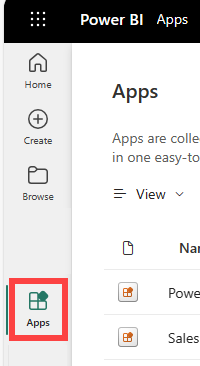
From either the Power BI or Fabric experience, select Apps in the navigation pane.
On the Apps page, select Get apps.

Browse the Get apps experience until you find an app to install. Workspace apps are available only to people in your company. Template apps are published by Microsoft and the community, and they're available for any Power BI user with a Pro license to install. The following image shows the previous Get apps experience, where workspace apps use the older Organizational apps label.

After you install an app, it's available from the Apps page. Select Apps in the navigation pane to display your apps. The following image shows app cards in the previous Apps page experience.

For detailed step-by-step instructions for getting and exploring a workspace app, see Install and use workspace apps.
There are a few other ways to get apps.
- The app designer installs the app automatically in your Power BI account. The next time you open the Power BI service, the new app is on the Apps page.
- The app designer emails you a direct link to an app. Selecting the link opens the app in the Power BI service.
- In Power BI on your mobile device, you can only install an app from a direct link. Get apps isn't available in Power BI mobile. If the app author installs the app automatically, it's available in your list of apps.