Mobile Sync
← Home
MusicLib syncs playlists and music files to Android or iOS devices via KDE Connect.
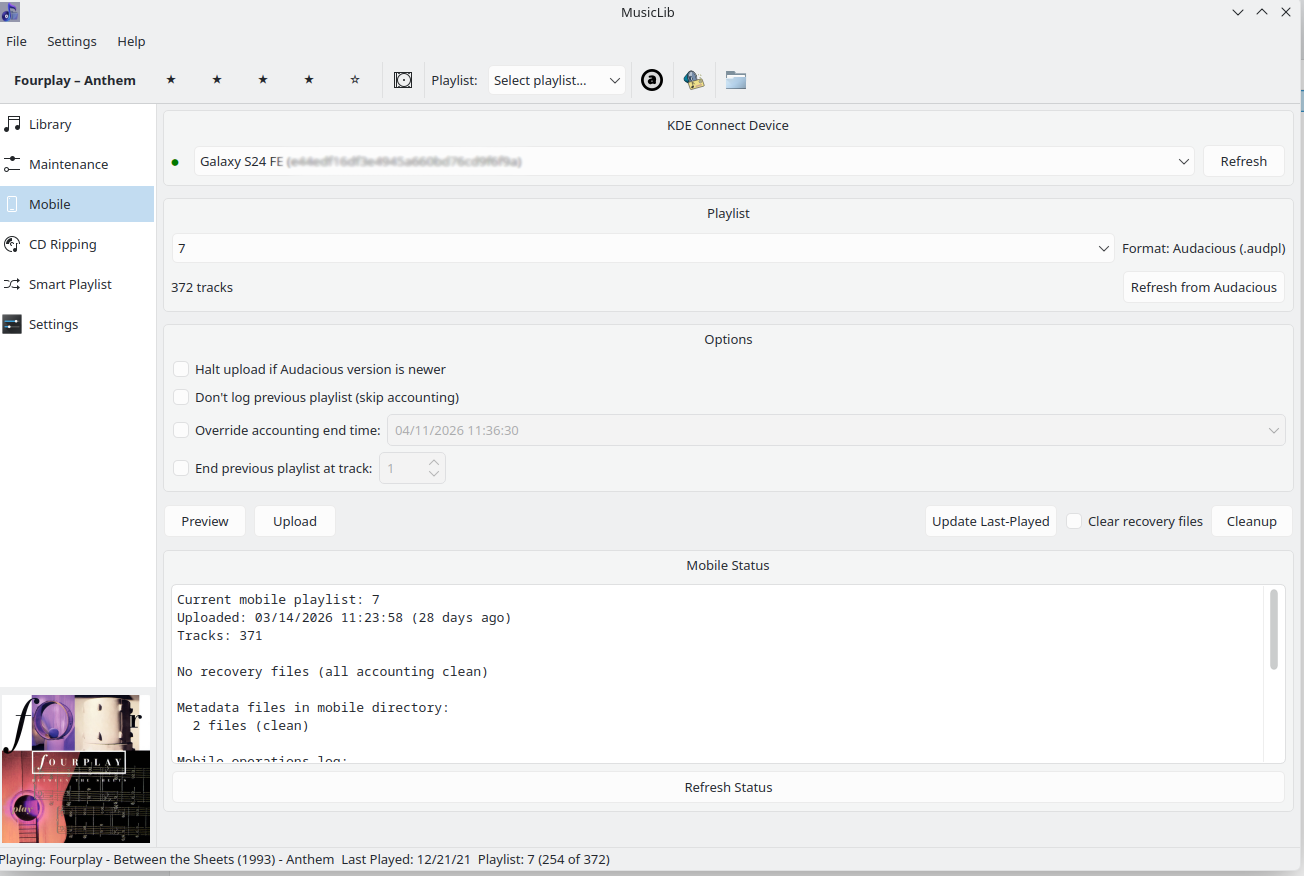
- Android: Google Play Store
- iOS: App Store (requires iOS 14+)
- Open KDE Connect on both devices
- Click Refresh to discover
- Click your device name and accept pairing on both sides
- Verify firewall allows port 1716
Settings → Mobile tab → enter your Device ID (shown in KDE Connect) → Save
- Create the playlist in your MPRIS2 player (Audacious, Strawberry, etc.)
- Ensure KDE Connect is active and paired on both devices
- Mobile Panel → select playlist → select device → Upload
MusicLib will:
- Process the previous playlist's last-played accounting
- Convert the playlist to
.m3u - Transfer all track files via KDE Connect
- Record the upload timestamp
Since mobile devices can't report exact playback data, MusicLib synthesizes play history:
- The accounting window = time between playlist uploads
- Tracks in the old playlist receive synthetic timestamps distributed using an exponential distribution (earlier tracks get earlier timestamps)
- Tracks played via your MPRIS2 player on the desktop during that window receive their real timestamps instead
This gives your smart playlist meaningful play history even for mobile listening.
# Upload a playlist
musiclib-cli mobile upload workout

# Upload to a specific device
musiclib-cli mobile upload workout abc123def456

# Backdate the accounting window
musiclib-cli mobile upload workout --end-time "02/15/2026 21:00:00"

# Check current mobile status
musiclib-cli mobile status

# View logs
musiclib-cli mobile logs
musiclib-cli mobile logs errors
musiclib-cli mobile logs today

# Retry failed last-played updates
musiclib-cli mobile retry workout

# Clean up orphaned metadata
musiclib-cli mobile cleanupDue to Apple restrictions:
- File access is more limited than Android
- Playback tracking has reduced precision
- Transfers may be slower
Core functionality (upload, last-played accounting) works the same.
| Problem | Steps |
|---|---|
| Device not found | Same Wi-Fi network? KDE Connect paired? Firewall allows port 1716? |
| Transfer fails | Check phone storage; restart KDE Connect on phone; test with kdeconnect-cli --ping
|
| Accounting not working | Upload playlists in sequence; verify time between uploads ≥ 1 hour; check previous playlist metadata exists |
| iOS pairing fails | iOS 14+ required; update KDE Connect app; check port 1716 |
| Outdated KDE Connect |
sudo dnf upgrade kdeconnect / sudo apt upgrade kdeconnect / sudo zypper update kdeconnect
|