

The jQuery scroll() is an inbuilt method which is used to user scroll in the specified element. This method works for all scrollable elements and the browser window.
Syntax:
$(selector).scroll(function)Parameter: This method accepts single parameters function which is optional. It is used to specify the function to run when the scroll event is triggered.
Below examples illustrates the scroll() method in jQuery:
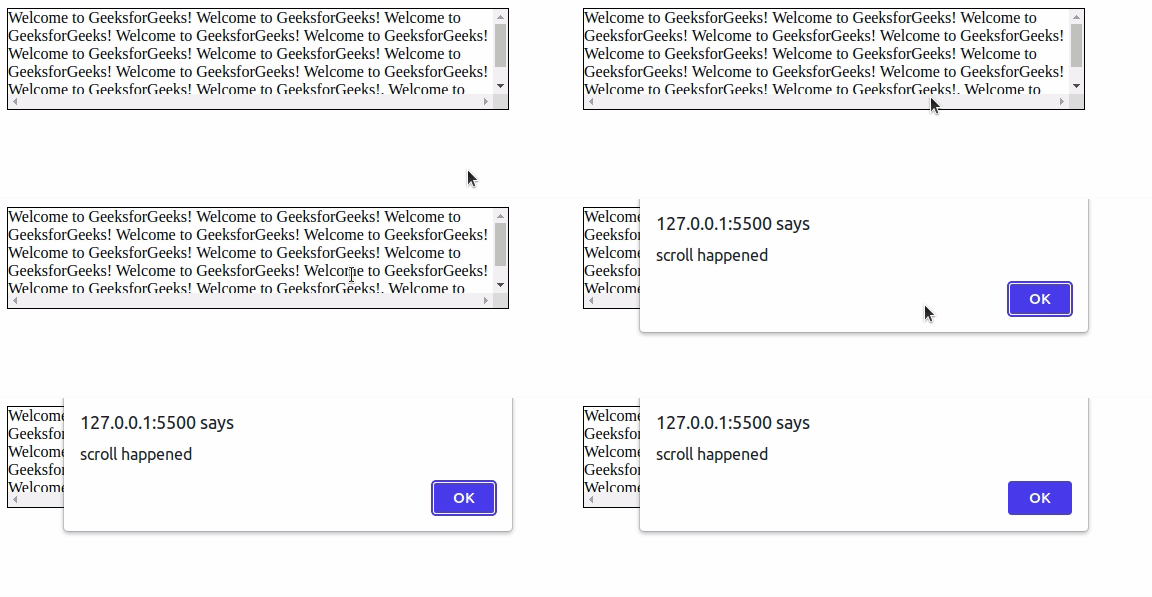
Example 1: In this example, a pop-up will come out when we scroll inside the box.
<html>

<head>
    <title>scroll methodtitle>
    <script src=
"https://ajax.googleapis.com/ajax/libs/jquery/3.3.1/jquery.min.js">
    script>


    <script>
        $(document).ready(function () {
            $("div").scroll(function () {
                alert("scroll happened");
            });
        });
    script>
    <style>
        div {
            border: 1px solid black;
            width: 500px;
            height: 100px;
            overflow: scroll;
        }
    style>
head>

<body>

    <div>Welcome to GeeksforGeeks!
        Welcome to GeeksforGeeks!
        Welcome to GeeksforGeeks!
        Welcome to GeeksforGeeks!
        Welcome to GeeksforGeeks!
        Welcome to GeeksforGeeks!
        Welcome to GeeksforGeeks!
        Welcome to GeeksforGeeks!
        Welcome to GeeksforGeeks!
        Welcome to GeeksforGeeks!
        Welcome to GeeksforGeeks!
        Welcome to GeeksforGeeks!.
        Welcome to GeeksforGeeks!
    div>
body>

html>
Output:
Example 2: In this example, we will increase the text size by scrolling inside the box.
<html>

<head>
    <title>scroll methodtitle>
    <script src=
"https://ajax.googleapis.com/ajax/libs/jquery/3.3.1/jquery.min.js">
    script>


    <script>
        $(document).ready(function () {
            $("div").scroll(function () {
                $(this).animate({ fontSize: "+=1px"});
            });
        });
    script>
    <style>
        div {
            border: 1px solid black;
            width: 400px;
            height: 150px;
            overflow: scroll;
            font-size: 1.5em;
            color: green;
        }
    style>
head>

<body>

    <div>
        A Computer Science portal for geeks. It
        contains well written, well thought
        and well explained computer science and
        programming articles, quizzes and
        practice/competitive programming/company
        interview Questions.
    div>
body>

html>
Output:
