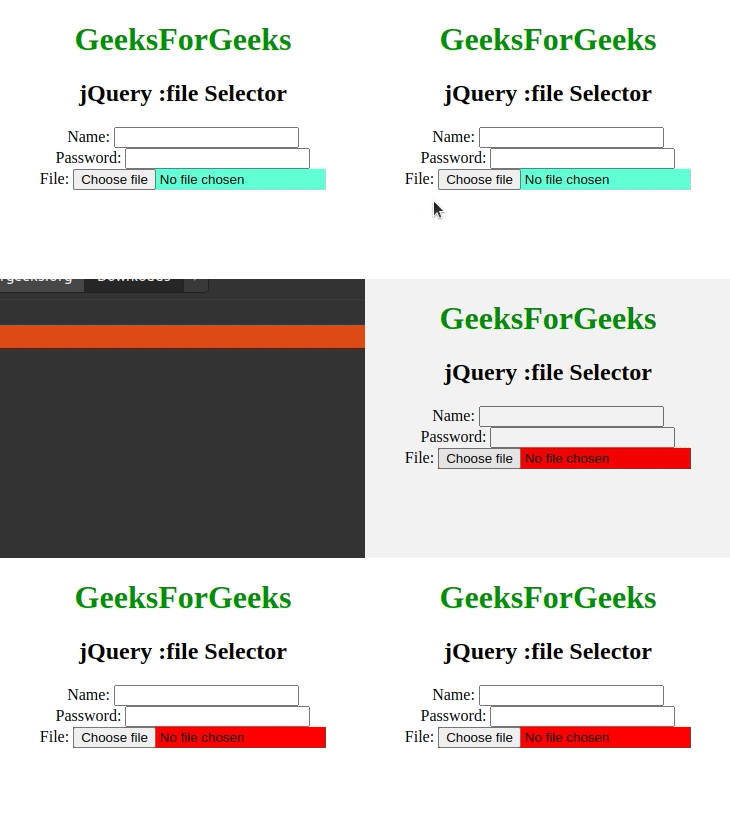
The jQuery :file Selector is used to selects the input element having file field.(type==file)
Syntax:
$(":file")Example 1: In this example, we will select the input element with type = file.
<html>

<head>
    <script src=
"https://ajax.googleapis.com/ajax/libs/jquery/3.3.1/jquery.min.js">
    script>

    <script>
        $(document).ready(function () {
            $(":file").css("background-color",
                "dodgerblue");
        });
    script>
head>

<body>
    <center>
        <h1 style="color:green;">GeeksForGeeks
        h1>
        <h2>jQuery :file Selectorh2>
        <form action="">
            Name:
            <input type="text" name="user">
            <br>
              Password:
            <input type="password" name="password">
            <br>
              File:
            <input type="file" name="myfile">
        form>
    center>
body>

html>
Output:

Example 2: In this example, we will change the color of the input element with type = file.
<html>

<head>
    <script src=
"https://ajax.googleapis.com/ajax/libs/jquery/3.3.1/jquery.min.js">
    script>

    <script>
        $(document).ready(function () {
            $("input").click(function () {
                $(":file").css("background-color",
                        "red");
            });
        });
    script>
head>

<body>
    <center>
        <h1 style="color:green;">GeeksForGeeks
        h1>
        <h2>jQuery :file Selectorh2>
        <form action="">
            Name:
            <input type="text" name="user">
            <br>
              Password:
            <input type="password" name="password">
            <br>
              File:
            <input style="background-color: aquamarine;"
                type="file" name="myfile">
        form>
    center>
body>

html>
Output: