The data() is an inbuilt method in jQuery which is used to attach data or get data for the selected elements.
Syntax:
$(selector).data(para1);
Parameter : It accepts an optional parameter "para1" which specifies the name of the data to retrieve for the selected element.
Return Value: It returns the retrieved data for the selected element.
jQuery code to show the working of data() method:
Code #1:
In the below code, data is attach to the selected element.
<html>

<head>
    <script src="https://ajax.googleapis.com/ajax/libs/
                 jquery/3.3.1/jquery.min.js">script>
    <style>
        div {
            display: block;
            width: 500px;
            font-size: 37px;
            padding: 50px;
            background-color: lightgrey;
        }

        span {
            color: green;
        }
    style>
head>

<body>
    <div>
        Welcome to
        <span>span>for<span>span>!
    div>
    <script>

        $("div").data("test", {
            first: "Geeks",
            last: "Geeks !"
        });
        $("span:first").text($("div").data("test").first);
        $("span:last").text($("div").data("test").last);
    script>
body>

html>
Output:

Code #2:
In the below code, The data is attaching and retrieving from the "div" element using buttons.
<html>

<head>
    <script src="https://ajax.googleapis.com/ajax/libs/
                 jquery/3.3.1/jquery.min.js">script>
    <script>
        $(document).ready(function() {

            $("#b1").click(function() {
                $("div").data("g", "GeeksforGeeks !!!");
            });

            $("#b2").click(function() {
                alert($("div").data("g"));
            });
        });
    script>
    <style>
        #b1,
        #b2 {
            padding: 10px;
            margin: 5px;
        }
    style>
head>

<body>

    <button id="b1">This will attach data to div
                       elementbutton>
    <br>

    <button id="b2">This will retrieve the attached data
                     to div elementbutton>
    <div>div>
body>

html>
Output:
Just after clicking the run button-

After clicking the "This will retrieve the attached data to div element" button just after clicking the "This will attach data to div element" button-

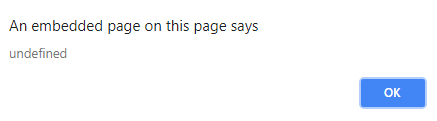
After clicking the "This will retrieve the attached data to div element" button without clicking the "This will attach data to div element" button-