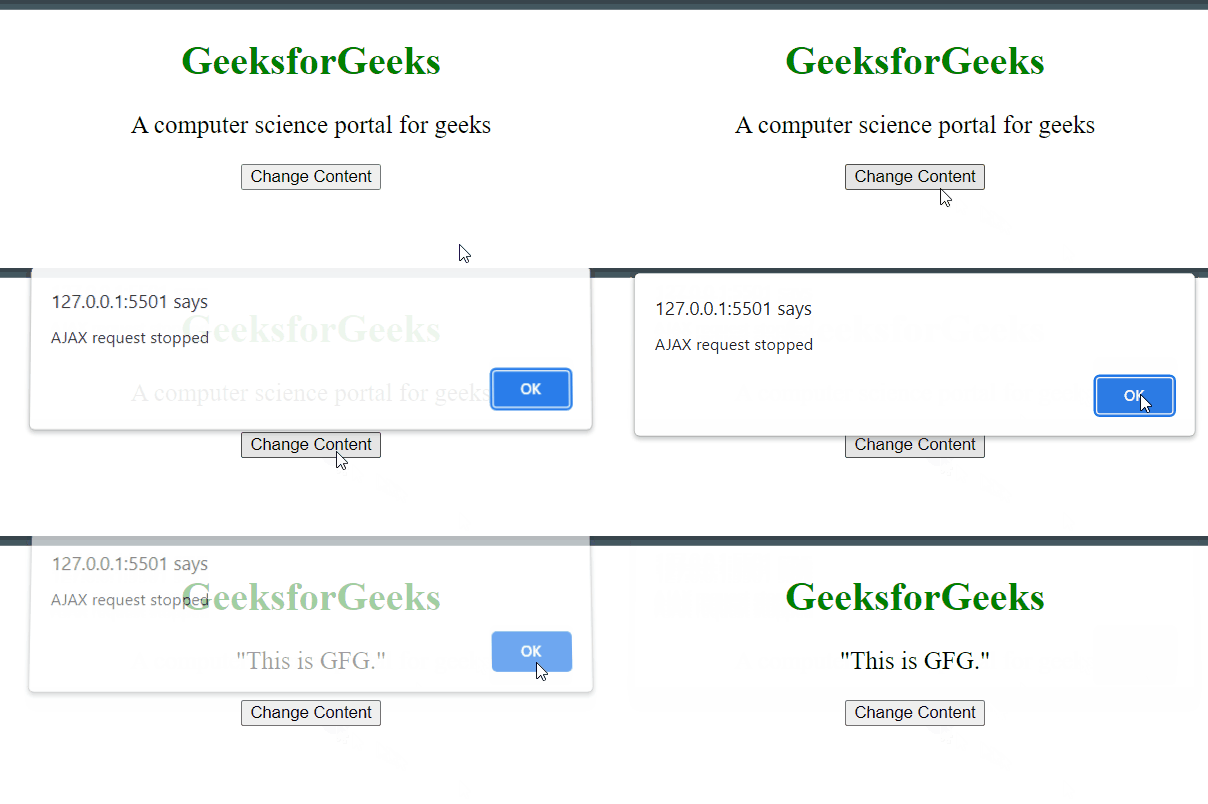
The ajaxStop() method is used to specify a function to be run when AJAX requests have been completed.
Syntax:
$(document).ajaxStop(function())
Parameter: It takes only one parameter.
- function(): It specifies the function to run when the Ajax requests have been completed.
The demo.txt file is stored on the server and it will load after clicking the change content button.
The content of demo.txt is:
This is GFG.
Example 1: This example changes the content of < p > element, by taking the data from the server. When the request has been completed, the page says the AJAX request stopped.
<html>

<head>
    <script src=
"https://ajax.googleapis.com/ajax/libs/jquery/3.3.1/jquery.min.js">
    script>
    <script>
        $(document).ready(function () {
            $(document).ajaxStop(function () {
                alert(
                    "AJAX request stopped");
            });
            $("button").click(function () {
                $("#paragraph").load(
                    "demo.txt");
            });
        });
    script>
    <style>
        body {
            text-align: center;
        }
    style>
head>

<body>
    <div id="div_content">
        <h1 style="color: green;">
            GeeksforGeeks
        h1>
        <p id="paragraph" style="font-size: 20px;">
            A computer science portal for geeks
        p>
    div>
    <button>
        Change Content
    button>
body>

html>
Output :

Example 2: This example changes the content of < h1 > element, by taking the data from the server. When the request has been completed, the page says the AJAX request stopped.
<html>

<head>
    <script src=
"https://ajax.googleapis.com/ajax/libs/jquery/3.3.1/jquery.min.js">
    script>
    <script>
        $(document).ready(function () {
            $(document).ajaxStop(function () {
                alert(
                    "AJAX request stopped");
            });
            $("button").click(function () {
                $("#paragraph").load(
                    "demo.txt");
            });
        });
    script>
    <style>
        body {
            text-align: center;
        }
    style>
head>

<body>
    <div id="div_content">
        <h1 style="color: green;">
            GeeksforGeeks
        h1>
        <p id="paragraph" style="font-size: 20px;">
            A computer science portal for geeks
        p>
    div>
    <button>
        Change Content
    button>
body>

html>
Output: