Repository navigation
fix Korean(and Chinese, Japanese) IME behavior (#4541) - #5615
Conversation


  - fix displaying Korean letters twice during composition
  - show composition letters between the text not over the text

|
By analyzing the blame information on this pull request, we identified alexandrudima, Erich Gamma (@egamma) and João Moreno (@joaomoreno) to be potential reviewers |

|
Hi TTYL, MSBOT; |

 Microsoft Contribution License Agreements (msftclas)
added
cla-signed
and removed
cla-required
labels
Microsoft Contribution License Agreements (msftclas)
added
cla-signed
and removed
cla-required
labels

fix Korean(and Chinese, Japanese) IME behavior (#4541)

|
Based on a few issues and on this description I was able to put together an IME Smoke test that we will go through from now on any time we make changes in the input handling and your changes make VSCode work like Word in these test cases! |

4 participants


Hello, this PR is for issue #4541 - Korean characters problem
Doing so, I added ICompositionEvent that has 'data' field. On 'compositionupdate' events, textarea is changed by composition data.
To show composition letters between the text, the visibleRange is calculated every compositionupdate event with composition word. It can be expensive.
I changed the variable shouldEmptyTextArea to be always true because I think textarea should be empty when composition starts but I didn't test with other browsers (How?).
Symptom (VSCode v1.0, type 'dkssudgktpdy')
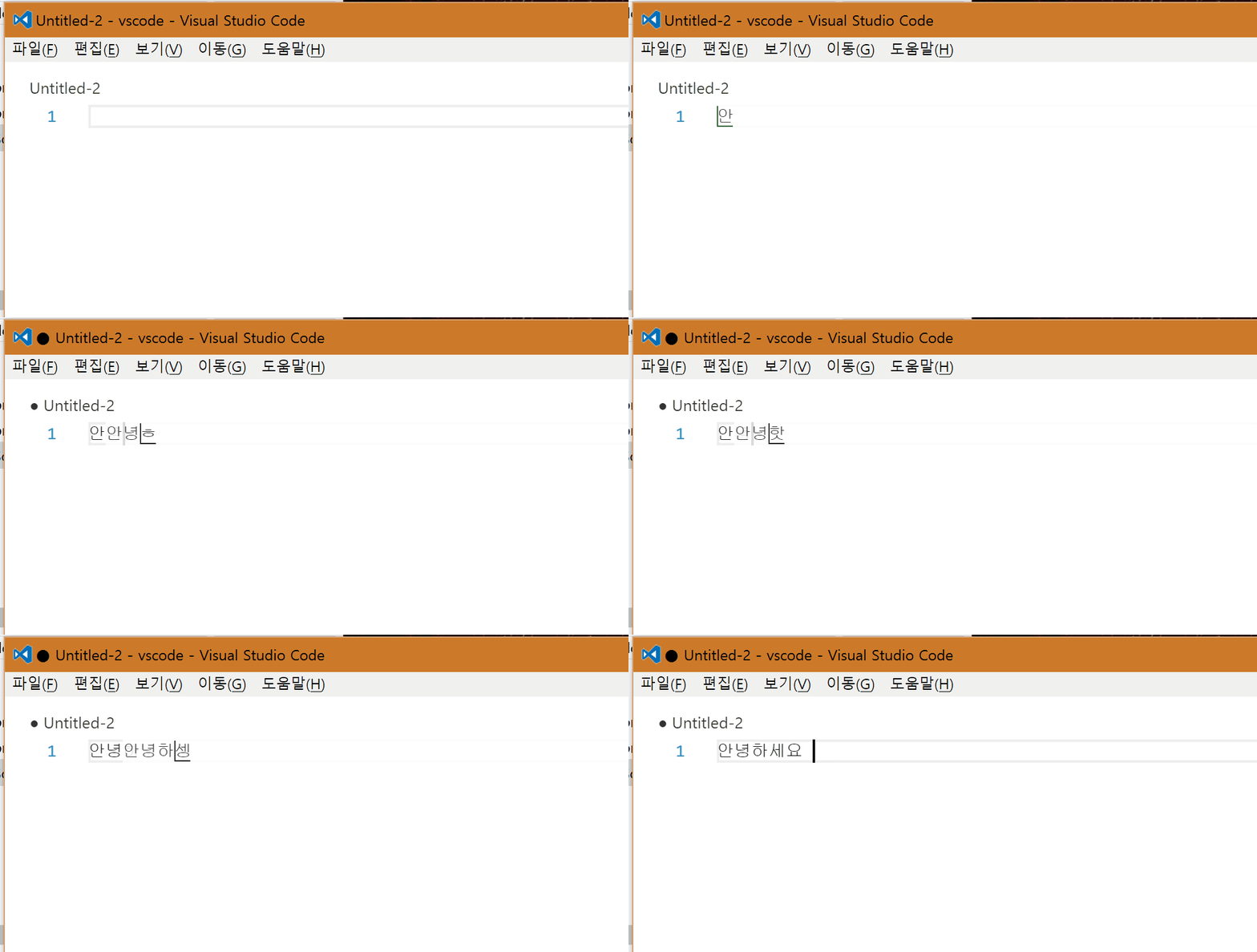
Expected (there are two cursors.. it must be fix either)

And When I composite letters between the text, the letters are displayed over the text. But Korean IME doesn't act like that. (type 'gksrmf')

Expected

It is confused that Japanese IME usually show composition letters over the text (in the notepad) but when I tested with Microsoft Word, the composition letters are occupied between the text. (type 'sensei')
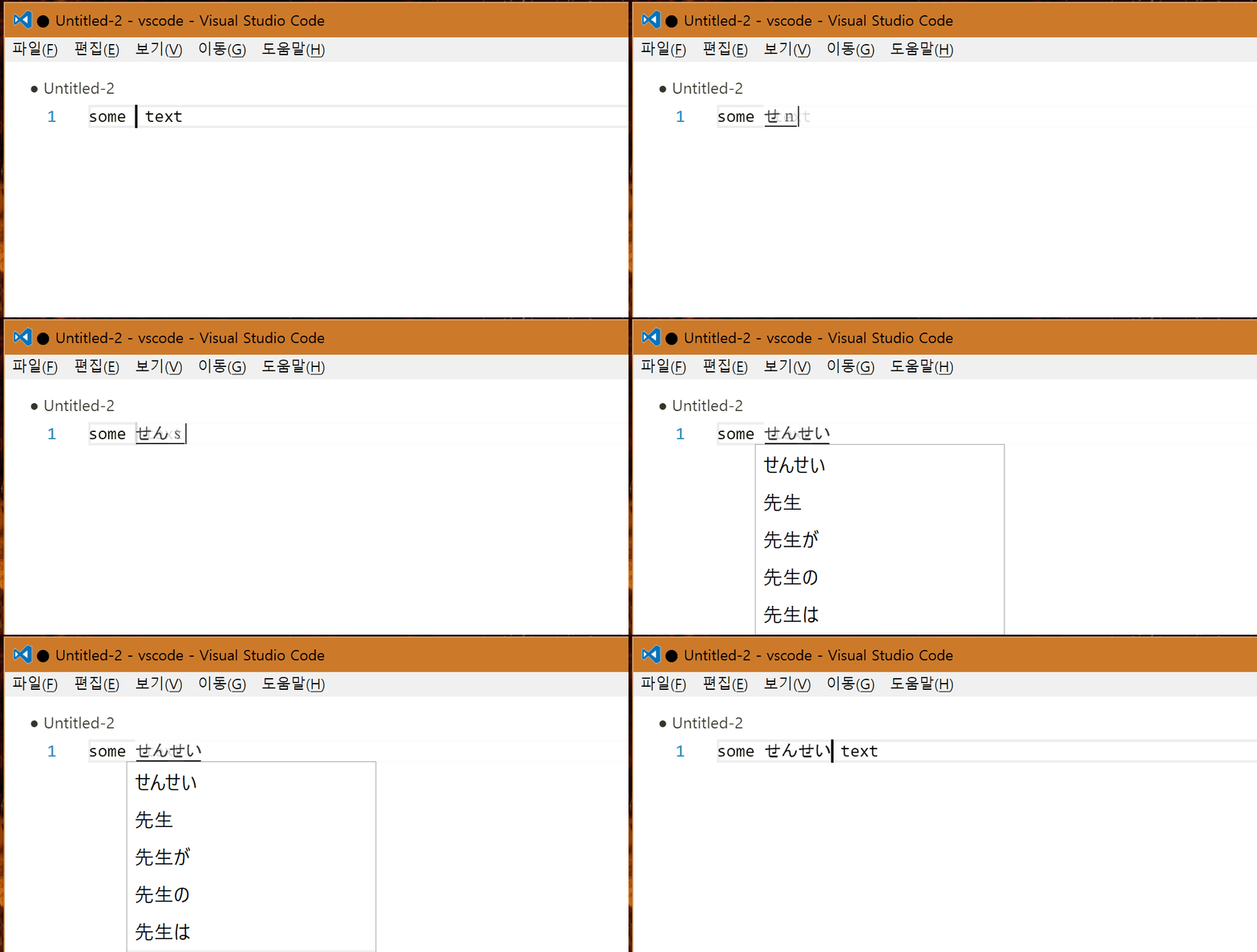
After change

But It's same as Microsoft Word
